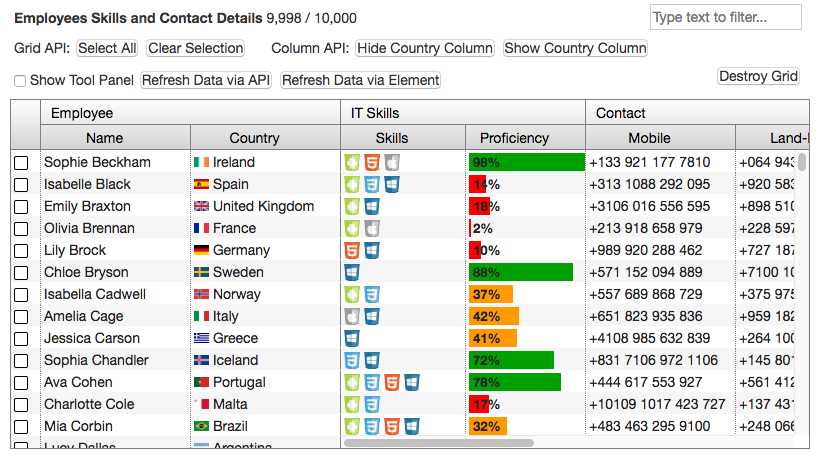
ag-grid-webcomponent

WebJar for ag-grid-webcomponent

Лицензия

Лицензия

MIT
Категории

Категории

Github Инструменты разработки Контроль версий
Группа

Группа

org.webjars.npm
Идентификатор

Идентификатор

github-com-ag-grid-ag-grid-webcomponent
Последняя версия

Последняя версия

17.1.0
Дата

Дата

Тип

Тип

jar
Описание

Описание

ag-grid-webcomponent
WebJar for ag-grid-webcomponent
Ссылка на сайт

Ссылка на сайт

http://webjars.org
Система контроля версий

Система контроля версий

https://github.com/ag-grid/ag-grid-webcomponent

Скачать github-com-ag-grid-ag-grid-webcomponent

Как подключить последнюю версию

<!-- https://jarcasting.com/artifacts/org.webjars.npm/github-com-ag-grid-ag-grid-webcomponent/ -->
<dependency>
    <groupId>org.webjars.npm</groupId>
    <artifactId>github-com-ag-grid-ag-grid-webcomponent</artifactId>
    <version>17.1.0</version>
</dependency>
// https://jarcasting.com/artifacts/org.webjars.npm/github-com-ag-grid-ag-grid-webcomponent/
implementation 'org.webjars.npm:github-com-ag-grid-ag-grid-webcomponent:17.1.0'
// https://jarcasting.com/artifacts/org.webjars.npm/github-com-ag-grid-ag-grid-webcomponent/
implementation ("org.webjars.npm:github-com-ag-grid-ag-grid-webcomponent:17.1.0")
'org.webjars.npm:github-com-ag-grid-ag-grid-webcomponent:jar:17.1.0'
<dependency org="org.webjars.npm" name="github-com-ag-grid-ag-grid-webcomponent" rev="17.1.0">
  <artifact name="github-com-ag-grid-ag-grid-webcomponent" type="jar" />
</dependency>
@Grapes(
@Grab(group='org.webjars.npm', module='github-com-ag-grid-ag-grid-webcomponent', version='17.1.0')
)
libraryDependencies += "org.webjars.npm" % "github-com-ag-grid-ag-grid-webcomponent" % "17.1.0"
[org.webjars.npm/github-com-ag-grid-ag-grid-webcomponent "17.1.0"]

Зависимости

Библиотека не имеет зависимостей. Это самодостаточное приложение, которое не зависит ни от каких других библиотек.

Модули Проекта

Данный проект не имеет модулей.

Published on webcomponents.org

ag-Grid Web Component

This project contains the ag-Grid Web Component

See the www.ag-grid.com for an overview and full documentation.

Demo

Simple Grid - Live Demo Rich Grid - Live Demo

<ag-grid id="myGrid"
         style="height: 140px; width: 350px; display: block;"
         class="ag-fresh">

Installation

Install with Bower

$ bower install ag-grid-webcomponent

Install with Npm

$ npm install ag-grid-webcomponent

Usage

<!DOCTYPE html>
<html lang="en">
<head>
    <meta charset="UTF-8">
    <title>ag-Grid Web Component - Simple Example</title>

    <!-- webcomponents polyfill - must be before any wc related javascript is executed -->
    <script src=../../node_modules/@webcomponents/custom-elements/custom-elements.min.js></script>

    <!-- before the ag-grid web component -->
    <!-- either ag-grid or ag-grid-enterprise, depending on which you're using -->
    <script src="../../node_modules/ag-grid/dist/ag-grid.min.js"></script>

    <!-- the ag-grid-webcomponent-->
    <link rel="import" href="../../node_modules/ag-grid-webcomponent/ag-grid.html">

    <!-- the application code -->
    <script src="simple-grid-example.js"></script>
</head>
<body>
<ag-grid id="myGrid"
         style="height: 140px; width: 350px;"
         class="ag-fresh"></ag-grid>
</body>
</html>

Examples

See the https://github.com/ceolter/ag-grid-webcomponent-example for full working examples of what you can do with ag-Grid and Web Components.

Examples included are:

Simple Grid
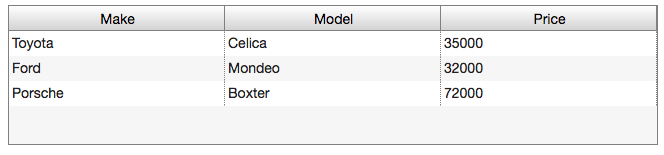
Simple Grid

Rich Grid

Rich Grid

org.webjars.npm

AG Grid

The Market Leading JavaScript Data Grid

Версии библиотеки

Версия
17.1.0