JarCasting
hjson-java



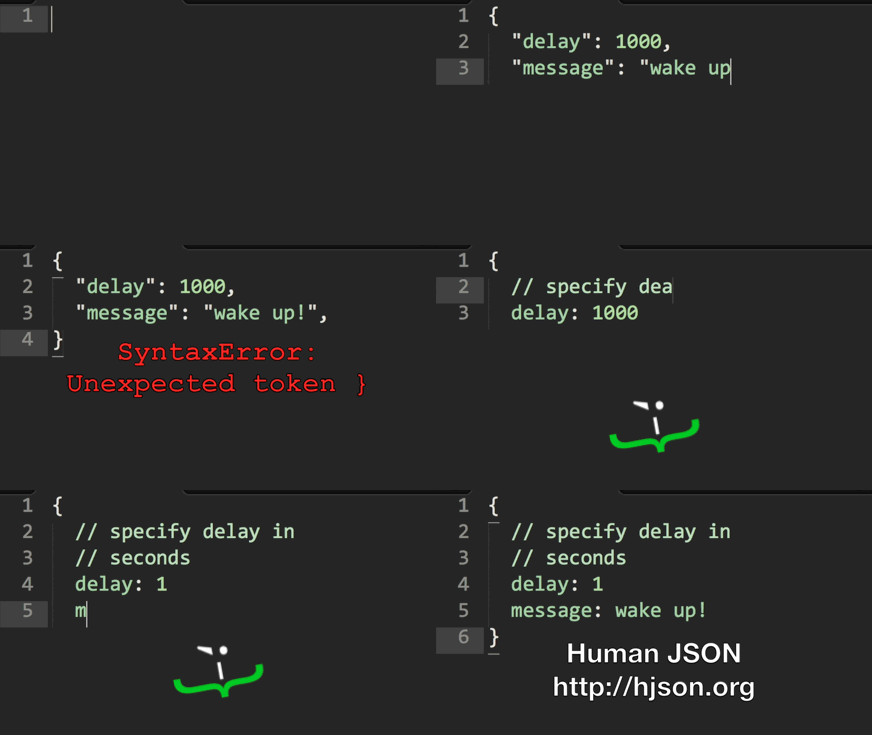
Hjson, the Human JSON. A configuration file format for humans. Relaxed syntax, fewer mistakes, more comments.
{
  # specify rate in requests/second (because comments are helpful!)
  rate: 1000

  // prefer c-style comments?
  /* feeling old fashioned? */

  # did you notice that rate doesn't need quotes?
  hey: look ma, no quotes for strings either!

  # best of all
  notice: []
  anything: ?

  # yes, commas are optional!
}
The Java implementation of Hjson is based on minimal-json. For other platforms see hjson.github.io.
CLI
You can install the Hjson command line tool by downloading and unpacking the latest hjson.zip.
- run
hjson -hfor help hjson file.jsonwill convert to Hjson.hjson -j file.hjsonwill convert to JSON.
Install from Maven Central
Gradle
Add a dependency to your build.gradle:
dependencies {
  compile 'org.hjson:hjson:3.0.0'
}
Maven
Add a dependency to your pom.xml:
<dependency>
  <groupId>org.hjson</groupId>
  <artifactId>hjson</artifactId>
  <version>3.0.0</version>
</dependency>
Ivy
Add a dependency to your ivy.xml:
<dependencies>
  <dependency org="org.hjson" name="hjson" rev="3.0.0"/>
</dependencies>
Usage
You can either
- use this libary directly
- or just convert Hjson to JSON and use it with your favorite JSON library.
Convert
// convert Hjson to JSON
String jsonString = JsonValue.readHjson(readerOrHjsonString).toString();

// convert JSON to Hjson
String hjsonString = JsonValue.readHjson(readerOrJSONString).toString(Stringify.HJSON);
Read
JsonObject jsonObject = JsonValue.readHjson(string).asObject();
JsonArray jsonArray = JsonValue.readHjson(reader).asArray();
JsonValue.readHjson() will accept both Hjson and JSON. You can use JsonValue.readJSON() to accept JSON input only.
Object sample
String name = jsonObject.get("name").asString();
int age = jsonObject.get("age").asInt(); // asLong(), asFloat(), asDouble(), ...

// or iterate over the members
for (Member member : jsonObject) {
  String name = member.getName();
  JsonValue value = member.getValue();
  // ...
}
Array sample
String name = jsonArray.get(0).asString();
int age = jsonArray.get(1).asInt(); // asLong(), asFloat(), asDouble(), ...

// or iterate over the values
for(JsonValue value : jsonArray) {
  // ...
}
Nested sample
// Example: { "friends": [ { "name": "John", "age": 23 }, ... ], ... }
JsonArray friends = jsonObject.get("friends").asArray();
String name = friends.get(0).asObject().get("name").asString();
int age = friends.get(0).asObject().get("age").asInt();
Create
JsonObject jsonObject = new JsonObject().add("name", "John").add("age", 23);
// -> { "name": "John", "age", 23 }

JsonArray jsonArray = new JsonArray().add("John").add(23);
// -> [ "John", 23 ]
Modify
jsonObject.set("age", 24);
jsonArray.set(1, 24); // access element by index

jsonObject.remove("age");
jsonArray.remove(1);
Write
Writing is not buffered (to avoid buffering twice), so you should use a BufferedWriter.
jsonObject.writeTo(writer);
jsonObject.writeTo(writer, Stringify.HJSON);
toString()
jsonObject.toString(Stringify.HJSON); // Hjson output
jsonObject.toString(Stringify.FORMATTED); // formatted JSON output
jsonObject.toString(Stringify.PLAIN); // plain JSON output, default
jsonObject.toString(); // plain